

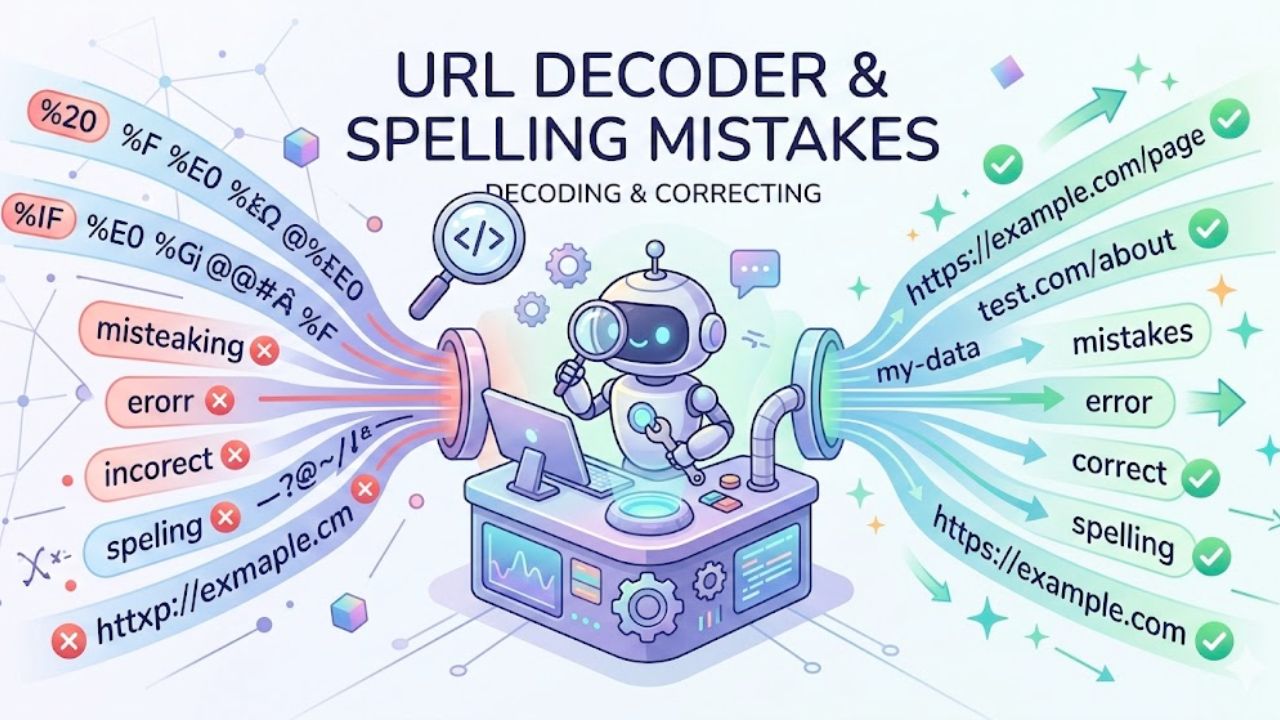
URL decoder “spellmistakes” look tiny on screen, but they’re often the hidden reason links break, forms fail, and rankings quietly slide. When characters like spaces, accents, or symbols are encoded or decoded incorrectly—or when a single letter in a slug or parameter is misspelled—browsers, servers, and Google may treat the URL as a totally different page, leading to 404s, duplicate content, and polluted analytics. This guide walks through how URL encoding/decoding actually works, where spelling and formatting mistakes creep in, what that means for SEO and user experience, and the practical workflows and tools you can use to catch and fix these issues before they cost traffic and conversions.
What “URL decoder spellmistake” really means
People searching for “url decoder spellmistake” are usually facing one of three situations:
-
A URL looks like a mess of
%20,%3A, and%2F, so it needs decoding to see what went wrong. -
A link or redirect is breaking, and the suspicion is a small typo in the slug or query parameters.
-
Analytics or campaign reports show weird, duplicated URLs that differ by a tiny spelling or encoding change.
In all of these, a URL decoder is used to convert percent‑encoded characters back to readable text, so spelling, spacing, and symbol issues become visible and fixable. Combined with a careful review of slugs and parameters, this helps find “spellmistakes” that are invisible in raw encoded form but obvious once decoded.
Quick primer on URL encoding and decoding
Understanding the basics of encoding and decoding makes it much easier to spot subtle mistakes.
URL encoding (percent‑encoding) exists because URLs are only allowed a limited set of characters—letters, digits, and a few symbols such as -, _, ., and ~. Everything else (spaces, many punctuation marks, non‑ASCII characters) has to be converted into a % sign followed by two hexadecimal digits, like %20 for a space.
Online decoders such as URLDecoder.io and UrlDecode.org reverse that process, taking those %xx sequences and turning them back into normal characters using standards like UTF‑8, which is what the W3C recommends for URLs. When decoding works correctly, the readable URL or text shows the “true” spelling of product names, campaign tags, and other values so they can be checked for typos and inconsistencies.
How URL encoding works (in practice)
In a typical URL, three main areas can contain encoded characters:
-
The path (e.g.,
/café-menumight become/caf%C3%A9-menu) -
The query string (everything after
?) -
Fragment identifiers (after
#)
Tools like URL-Encode-Decode.com and Urldecoder.net explain that allowed characters (letters, digits, -, _, ., ~) are left untouched, while disallowed ones are replaced with % and their ASCII/UTF‑8 codes. For example, a space becomes %20, and a forward slash / inside data (not as a path separator) is typically encoded as %2F.
How decoding works
Decoding simply reads the string, finds each %xx pattern, and converts it back to its original character using the correct encoding scheme (almost always UTF‑8 on the modern web). Tools like URLDecoder.io even highlight invalid sequences by turning input red when something doesn’t conform to proper encoding rules, which is often a first sign that the URL is malformed somewhere.
Once decoded, issues like “caf%C3%A9” vs “cafe” or “utm_campagin” vs “utm_campaign” become very obvious, because the human‑readable text can be checked quickly for spelling and consistency.
Why tiny URL mistakes matter for SEO and UX
On real sites, URL “spellmistakes” rarely stay harmless. They usually grow into crawling, indexing, or tracking issues.
Hashmeta, which has audited more than 1,000 brands across Asia, reports that about 67% of sites they review have URL structure problems that measurably harm rankings, often without teams realising until traffic has already dropped. In one case, incorrect URL handling and parameter chaos led Google to index about 23,000 low‑quality URLs while ignoring the 800 pages that actually mattered, and organic traffic fell 64% in six months.
SEO.com similarly notes that invalid or malformed URLs (with spaces, backslashes, or incomplete structures) and missing pages (404s, soft 404s) are among the most common URL problems affecting search performance. Google’s own URL structure guidelines emphasise simple, consistent, readable URLs and warn that broken relative paths can create infinite combinations of bogus URLs if servers don’t return proper error codes.
When spelling or encoding errors creep into URLs, you often see:
-
Users landing on 404 pages after clicking what looked like a valid link.
-
Duplicate versions of the same page (e.g.,
/Café,/cafe,/caf%C3%A9) diluting link equity. -
Analytics reports split across multiple nearly identical URLs, making performance harder to interpret.
Common URL decoding and spelling mistakes
Typos in slugs and parameters
Some of the most damaging issues are also the most embarrassing: single‑letter typos in important places. Common examples include:
-
Product or category slugs:
/wirless-earbudsinstead of/wireless-earbuds. -
Tracking parameters:
utm_campaginvsutm_campaign,sorucevssource. -
Filter or search parameters:
colourvscoloron different parts of the site.
Technical SEO agencies note that inconsistent URL formats and poor internal architecture—like varying cases, different slug spellings, or parameter chaos—are a recurring source of ranking loss in modern audits. A URL decoder helps because once the query string is decoded, all those parameters can be scanned in plain English to spot differences that would be missed when everything is percent‑encoded.
Mis‑encoded characters and character sets
International and accented characters are a frequent source of subtle encoding “spellmistakes.”
Merj’s guide on URL encoding shows a real example where a page for “café” ended up with variants like https://example.com/cafe and https://example.com/caf%c3%a9 depending on how different systems re‑encoded the URL. Search engines may crawl and index both as separate pages, wasting crawl budget and splitting signals between duplicates. Analytics tools can also treat them as two different URLs, skewing pageview counts and other metrics.
If a decoder uses the wrong character set (for example, assuming ASCII when the URL was encoded with UTF‑8), the decoded text may show broken characters or question marks, making it harder to catch spelling mistakes and sometimes leading developers to store incorrect strings in databases or redirect rules.
Mixed case, trailing slashes, and parameter variants
Another pattern is inconsistent casing and structural variations:
-
/Blog/Url-Decodervs/blog/url-decoder -
/pagevs/page/ -
URLs that sometimes use encoded characters and sometimes don’t (
%20vs-for spaces)
Google’s documentation suggests keeping URLs simple and consistent, and using lowercase letters where possible. Technical SEO guides warn that inconsistent URL formats—especially when combined with badly implemented canonicals and sitemaps—can lead to search engines splitting signals or wasting crawl budget on non‑preferred versions.
Real‑world style scenarios where mistakes show up
Several very typical scenarios show how “URL decoder spellmistakes” look in day‑to‑day work:
-
Email campaign with a broken CTA
A marketing team sends a newsletter, and the main button link includes an encoded campaign parameter. The URL decodes toutm_campaign=Spring-2026-launc, missing the final “h”. Tracking in analytics shows almost no attributed revenue for that campaign name, while a similar campaign with the correct spelling gets credit, even though both linked to the same offer page. -
Login redirect loop
Merj describes a situation where a customer path likehttps://example.com/products?facet=color:Blackis passed through multiple login redirects using URL‑encodedreturn_toparameters. Due to repeated re‑encoding and incorrect handling, the URL becomes cluttered and sometimes loops back to login instead of the intended product page. -
Analytics pollution from encoding variants
Agencies have found e‑commerce sites where thousands of analytics page entries exist for what should be a single product—just because of different encodings, cases, or small spelling differences in URLs. Decoding and normalising those URLs uncovers long lists of near‑duplicates that need canonicalisation or redirects.
In each case, decoding the URL is what reveals the actual text and allows human eyes to catch those spelling and structural problems.
URL decoder tools you can rely on
Several trustworthy, free tools make decoding safer and faster.
Popular online URL decoders
| Tool / Site | Key strengths | Typical use case |
|---|---|---|
| URLDecoder.io | Real‑time decoding with UTF‑8, highlights invalid sequences, includes guides for multiple languages. | Developers checking parameters, QA teams validating forms and redirects. |
| URL-Decode.com | Simple interface, supports multiple URLs at once, optional “live” decoding mode. | Quickly scanning large sets of encoded URLs from logs. |
| Qodex URL Decoder | Focus on percent‑encoded values, works entirely in the browser, includes examples and code snippets (Python, etc.). | Engineers debugging API calls or building tools that handle encoded URLs. |
| UrlDecode.org | Minimal page with straightforward encode/decode options. | Quick ad‑hoc decoding when speed matters more than features. |
| URL-Encode-Decode.com | Lets users choose ASCII or UTF‑8 tables; warns when encoding tables mismatch. | Cases where character set might be uncertain or legacy. |
These tools all follow the standard percent‑encoding rules, but some add helpful validation or visual cues that flag problematic strings before they get deployed. Using more than one for cross‑checking tricky cases can be helpful when URLs come from multiple systems.
Browser and language‑level decoders
Beyond online sites, most modern stacks have built‑in functions to decode URLs correctly:
-
JavaScript:
decodeURIComponent() -
Python:
urllib.parse.unquote()– shown in Qodex’s example for decoding a full encoded URL. -
PHP:
urldecode()– used by tools like SAMLTool’s encoder/decoder.
Relying on these standard library functions instead of homemade string manipulations reduces the chance of subtle mistakes and keeps behaviour consistent across environments.
Workflow: using a URL decoder to catch “spellmistakes”
A practical, repeatable workflow can save a lot of late‑night debugging.
-
Copy the full encoded URL
Always grab the entire thing—fromhttps://through query parameters and fragments—so context isn’t lost. -
Decode using a UTF‑8‑aware tool
Use a tool like URLDecoder.io or URL-Decode.com that explicitly works with UTF‑8, since that’s the recommended standard for URLs. -
Scan the decoded path and slug
Check product names, categories, blog slugs, and any language‑specific words for obvious spelling issues (e.g., “spellmistake” where “spell-mistake” or “spelling-mistake” was intended). -
Review all query parameters in plain text
Look line by line atutm_*, filter, search, or tracking parameters. Pay attention to letter swaps, inconsistent naming, or language variations that might create multiple “versions” of the same data in analytics. -
Compare to canonical naming rules
If brand or project guidelines exist (for example, always using lowercase, hyphen‑separated slugs, and English spellings), compare decoded URLs against those rules and note deviations. -
Fix and retest
After adjusting the slug or parameters, re‑encode only where needed (mostly spaces and special characters), update the link or redirect, and run one more decode to confirm everything looks correct.
Teams that follow a routine like this before launching major campaigns or structural changes cut down dramatically on broken links and tracking oversights.
Best practices for clean, error‑free URLs
Follow Google’s URL structure guidance
Google’s documentation sets out straightforward rules that also help reduce spelling‑related issues:
-
Keep URLs as simple and logical as possible.
-
Use readable words separated by hyphens, not long ID strings.
-
Avoid overly complex relative paths that can generate bogus URLs if mis‑placed.
For example, Google warns that parent‑relative links like ../../category/stuff placed on the wrong page can create huge numbers of invalid URLs if servers don’t correctly return 404s. Clean, root‑relative paths and consistent naming drastically reduce this risk.
Standardise casing, separators, and languages
Technical SEO guidance for 2026 repeatedly highlights inconsistent URL formats as a serious and underestimated ranking problem. To keep things stable:
-
Pick lowercase for all URLs.
-
Use hyphens, not spaces or underscores, for human‑readable words.
-
Decide whether slugs should be in one primary language and stick to it.
That consistency makes decoding easier and makes spelling errors stand out, because anything that deviates from the pattern looks obviously wrong.
Use native encoding/decoding functions
Merj’s best‑practice guide stresses relying on native encoding functions like encodeURIComponent in JavaScript or quote in Python rather than writing custom routines. These built‑ins handle edge cases and character sets properly, and make it easier to implement rules such as:
-
Always redirect lowercase percent‑encoded URLs to uppercase equivalents where needed.
-
Treat differently encoded versions of the same URL as one resource in analytics and logging.
How to fix existing URL problems
Once issues are discovered using a decoder, fixes usually fall into a few categories.
Correct broken or mistyped URLs
Start with obvious typos in slugs and parameters (for example, /wirless-routers to /wireless-routers). Set up 301 redirects from the incorrect version to the correct one so both users and search engines reach the intended page. SEO.com advises that fixing invalid URLs and 404s is foundational to restoring and protecting search performance.
Consolidate duplicate encoded/decoded variants
When multiple URL versions exist—such as encoded vs decoded or accented vs unaccented—prioritise one canonical version and redirect all others towards it. Merj notes that without this, search engines and analytics tools tend to treat encoded variants as separate pages, fragmenting link equity and skewing metrics.
Hashmeta’s audits show similar patterns where canonical tags sometimes even point to 404 pages, sending mixed signals to search engines and causing sections of a site to be suppressed in rankings. Cleaning up canonical tags, sitemaps, and internal links to target only the preferred URL is critical.
Fix internal linking and navigation
Internal links that point to redirected or non‑canonical URLs slowly bleed authority and create a messy map of the site. Agencies report cases where thousands of internal links aimed at parameter‑heavy or mistyped URLs, while the clean canonical pages received far less internal link equity.
After using decoders to understand which URLs are truly preferred, update templates, menus, and in‑content links so they all reference the canonical, correctly spelled, correctly encoded version.
Clean up analytics and logging
Finally, adjust analytics filters and server/CDN logging to normalise different encodings and naming styles. Merj recommends configuring analytics to treat differently encoded URLs as the same resource and to test with decoders before rolling out major URL changes. This makes reporting more reliable and prevents subtle spelling variations from fragmenting data.
Extra tips to avoid “spellmistake” headaches
Build a pre‑launch URL checklist
Before launching a new section or campaign, run a quick checklist:
-
Decode sample URLs for each major template or campaign.
-
Run through them like human sentences: does every word look spelled right?
-
Check that UTM or custom parameters follow your naming convention.
Small rituals like this catch an amazing number of issues long before customers ever see them.
Use find/replace on logs and exports
When investigating large sets of URLs from server logs, crawl exports, or analytics, combine decoders with basic text tools:
-
Decode a batch of URLs.
-
Sort or group them by path.
-
Use search to find near‑duplicate terms (e.g., “campaing”, “camapign”) and unify them.
SEO agencies working with hundreds or thousands of URLs lean heavily on this kind of pattern‑spotting to identify systemic naming or spelling problems that individual page reviews would miss.
Educate non‑technical teams
Marketing, editorial, and localisation teams often own the words that become slugs, parameters, and campaign names. A short internal guide that explains:
-
Why URL spelling consistency matters.
-
How encoding like
%20or%3Amaps back to regular characters. -
Which tools to use to double‑check URLs.
…can reduce the number of problems that ever reach development or SEO teams.
Frequently asked questions
Is it bad if my URL contains %20 or other codes?
Percent codes like %20 are normal in URLs; they simply mean certain characters were encoded. The real issue is consistency: mixing - and %20 for spaces, or having both encoded and unencoded versions of similar URLs, can create duplicates and tracking confusion.
Can a single letter typo in a URL really hurt SEO?
On a small site, a single typo might only break one link. On larger sites, repeated misspellings in slugs, filters, or tracking parameters can lead to many near‑duplicate URLs and polluted analytics, which agencies repeatedly see involved in significant traffic drops and wasted crawl budget.
Are online URL decoders safe to use?
Reputable tools like URLDecoder.io, URL-Decode.com, and Qodex work entirely in the browser and don’t require logins, making them suitable for most debugging tasks as long as you’re not pasting highly sensitive data. For confidential URLs or tokens, it’s safer to use language‑level decoding functions on local machines.
Do I need to change old URLs just to fix spelling?
If a misspelled slug already ranks and has strong backlinks, it’s usually better to keep it and standardise internal linking, perhaps adding a correctly spelled alias that redirects to the existing URL. For new or low‑value pages, correcting the spelling and implementing a 301 redirect from the old URL is often the cleanest approach.
Conclusion
URL decoders are more than just handy debugging tools; they’re often the only clear window into how URLs really look once all the encoding layers are stripped away. When every %20 and %3A is translated back into words, it becomes much easier to spot the spelling errors and naming inconsistencies that quietly break links, damage tracking, or split SEO signals across near‑duplicate pages. Agencies auditing real‑world sites consistently find that a majority suffer from URL structure issues, and many have already lost significant organic traffic before the problems are even noticed.
By combining a reliable decoder, a consistent set of naming rules, and a simple workflow for checking and fixing URLs before and after launch, teams can prevent many of those silent failures. Google’s own recommendations reinforce this: keep URLs simple, readable, and consistent, and avoid complicated structures that magnify the impact of small mistakes. With just a bit of discipline—and the right tools—it’s entirely possible to turn “url decoder spellmistake” moments from painful surprises into quick, routine fixes that keep users, analytics, and search engines aligned.